
Starting a family conversation
Complete the check before a discussion so you can talk about specific gaps. Use the family financial inventory to gather locations and contacts instead of trying to explain every account at once.
A list of balances is only useful if the right person can locate the records behind it. Answer a few questions to find the gaps in your financial handover.
Inputs stay in this browser tab and clear on reload. Download if you want to keep a copy.
A record-keeping aid based on your entries; it does not verify documents or legal authority. General information, not personal financial, tax or legal advice.
Follow the tool, step by step
Choose a guide below. Follow the labelled screenshot, then try it with your own information.
Step 1 of 3
For each of the six record areas, choose Yes only when you know the information is available. Choose Not yet when it is missing and Unsure when you need to check. You do not need to enter anyone’s name or financial balances.
Try this in the tool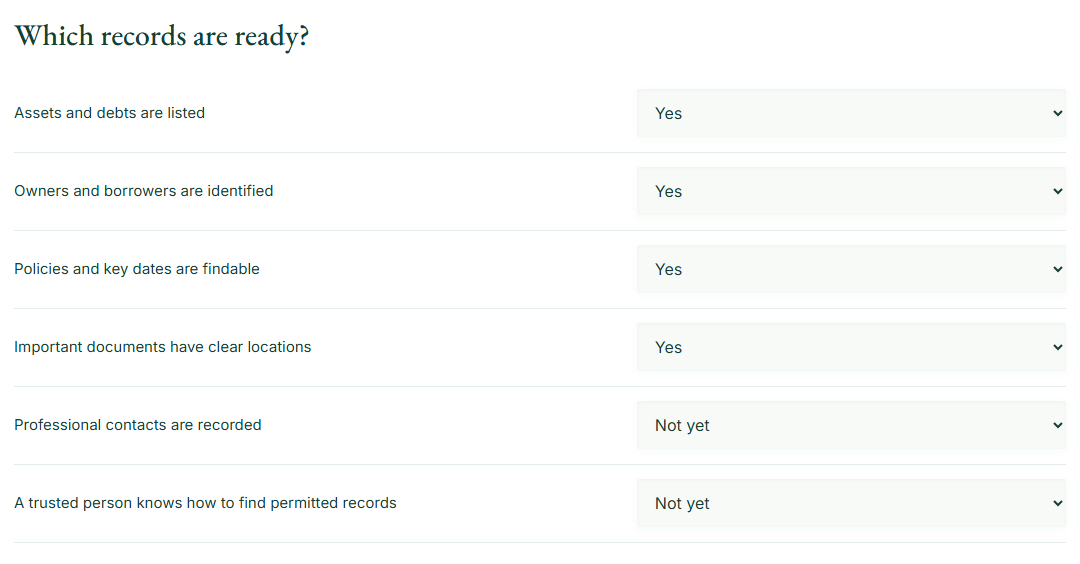
Step 2 of 3
Select Show my next steps. Every Yes counts as one reported-ready area. Not yet and Unsure both create a follow-up item; the tool does not weight the questions or calculate an estate-planning score.
Try this in the tool
Step 3 of 3
Download the checklist and begin with the missing information that would be hardest to reconstruct. Revisit the check after updating records or discussing access with the person you trust.
Try this in the tool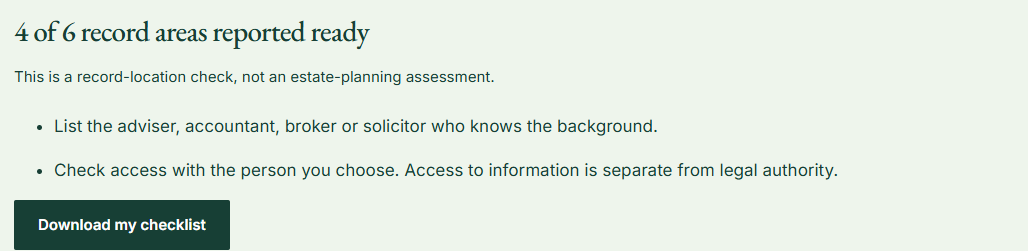
Worked example
The next-step list asks you to record useful professional contacts and check how a trusted person can find permitted information. Four ready areas is a count of your answers, not a certification that the arrangements are complete or legally effective.
Follow the inputs

 People you chooseShared documents
Take the next step with Financial Portfolio
Financial Portfolio lets you maintain connected records and choose which sections a read-only viewer can see. Share supporting documents explicitly and keep the people involved clear. The app helps someone find information you permit them to see; it does not give them legal authority to act.
App access is currently through the waitlist. Keep your download for reference. Tool entries are not sent to the app or imported automatically.
Whether you have listed major assets and debts; identified owners and borrowers; recorded current policies and renewal dates; named the professionals who can help; stored current supporting documents; and explained how a trusted person can find permitted information. A “ready” result means only that you reported having those records. It is not a legal or estate-planning assessment. Services Australia recommends organising practical information before others need it.
Start with the missing item that would be hardest to reconstruct. Use the family financial inventory to gather details, then read the handover guide and review family sharing. Do not put passwords, PINs or recovery phrases into the checklist.
The tool runs in this browser tab. Your inputs are not sent to Financial Portfolio, stored in a user account or passed through the signup link. A reload clears the working state. Download a CSV if you want a copy, and keep it somewhere appropriate for the information it contains.
Financial Portfolio can help you maintain related records, but this public result does not create a portfolio or verify a source document. Read the privacy policy and terms of use, or visit the Help Center for product questions.
Put the result to work
Complete the check before a discussion so you can talk about specific gaps. Use the family financial inventory to gather locations and contacts instead of trying to explain every account at once.
A new property, adviser or policy can make a previous handover out of date. Repeat the check and confirm that access instructions still match what you are willing and able to share.
Assets, debts, relevant ownership, policy and document locations, useful contacts and instructions for finding the information. Formal authority is a separate legal matter.
No. It helps organise information only.
No. Answers are processed in this browser tab and clear when you reload. We do not send them to the CRM or save them on our server. A file is saved only if you choose to download it.
From a useful start to connected records
Explore how Financial Portfolio connects the assets, debts, people and paperwork you maintain.