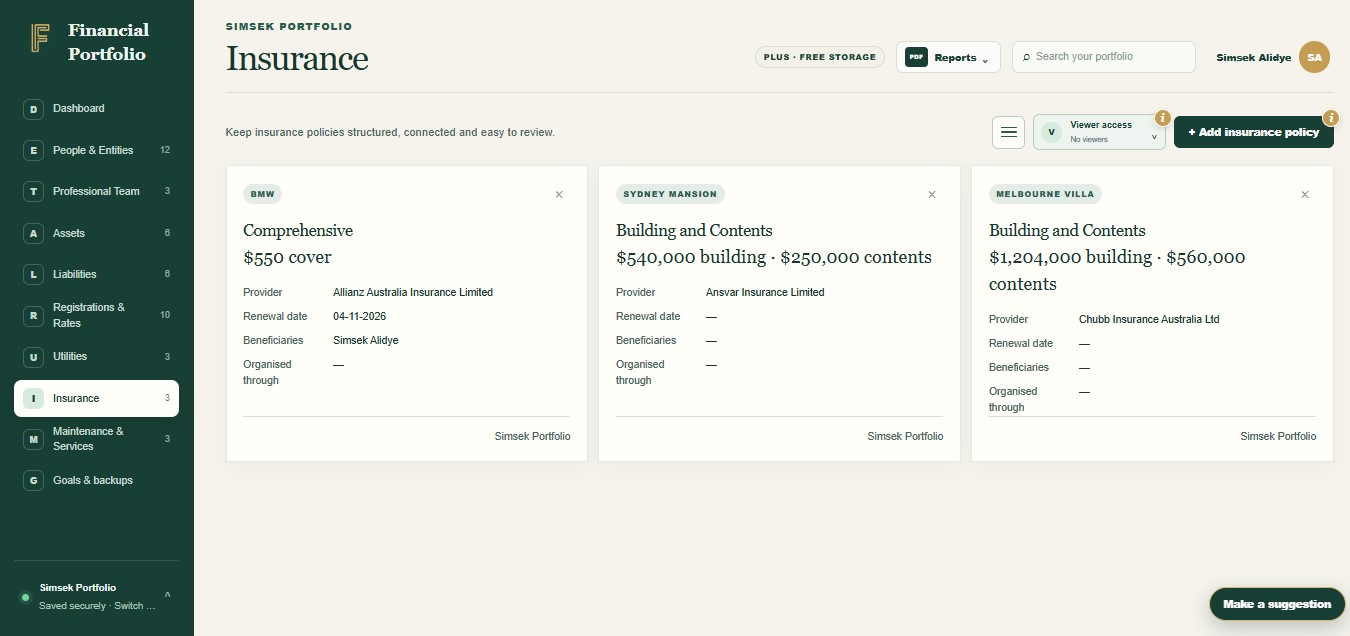



Find the right file in context
Open the related record instead of remembering which folder contains the document.
Document vault
Store statements, policies and other supporting files beside the asset, person or obligation they explain.
Open the related record instead of remembering which folder contains the document.
Choose which documents to share with permitted members instead of sending an entire folder.
A place for the paperwork
The document manager lets you upload, view, download, rename, group and delete files attached to supported portfolio records. You can explicitly share selected documents with permitted portfolio members.
The detail behind the view
Knowing you have a policy is useful. Finding the actual policy document when you need it is just as important. We included record-linked documents to reduce the gap between a financial summary and the paperwork behind it.
The document manager lets you upload, view, download, rename, group and delete files attached to supported portfolio records. You can explicitly share selected documents with permitted portfolio members.
Less searching. More understanding.
Store statements, policies and other supporting files beside the asset, person or obligation they explain.
Open the related record instead of remembering which folder contains the document.
Choose which documents to share with permitted members instead of sending an entire folder.
View or download a stored document for a conversation, application or review.
Ready to take control?
Join Financial Portfolio and experience a simpler, more organised way to manage what matters most.
How it works
You bring the information. Financial Portfolio gives it a structure you can come back to.
Open a supported portfolio record and choose to add a document.
Upload a supported file, then give it a useful name or group.
Choose any permitted recipients if you want to share it, and review sharing when circumstances change.
Made for real life
For households, families and Australians keeping track of more than one account or folder.
Open the insurance record and find the policy schedule you attached. The file is connected to the cover details, rather than buried in a general downloads folder.
Keep the relevant files beside an asset or obligation, then explicitly share the documents a permitted viewer needs. Review document access when the conversation is complete.
Keep your records connected
No. A viewer needs access to the relevant section and record, and the document must be explicitly shared with them.
Yes. The document manager supports viewing and downloading files that you are authorised to access.
Group each statement, policy or ownership file with the record it explains, give it a clear name and keep it up to date. Services Australia recommends preparing important information so others know what exists and where to find it. Read Services Australia's preparation guide.
The documented app accepts PDF, DOC, DOCX, JPG and PNG files up to 10 MB each. Storage allowances apply.
Only documents explicitly shared with that viewer, where they also have access to the relevant section and visible record. Granting section access alone does not expose every file.
Start with what you have
You do not need every detail on day one. Start with the records that matter most, then build a clearer picture at your own pace.