


Reduce reliance on one person
Give someone you trust a way to find the information you have chosen to share.
Family & professional sharing
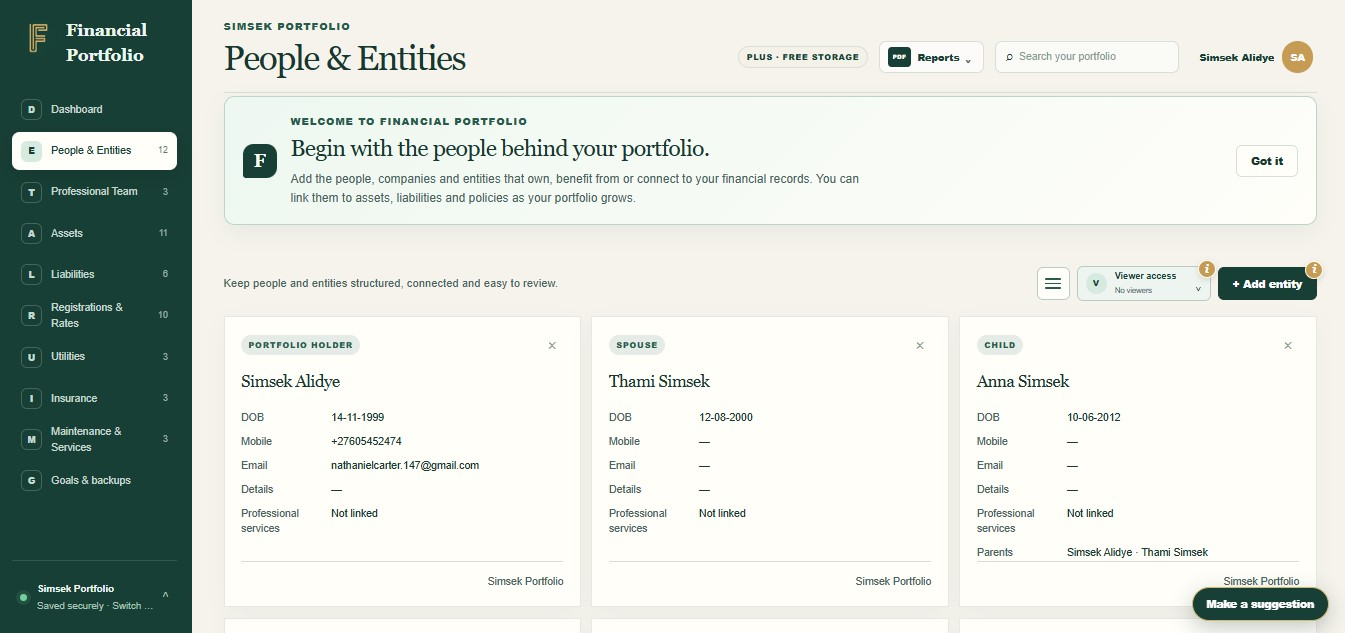
Give a family member or professional controlled, read-only access to selected sections of your portfolio.
Give someone you trust a way to find the information you have chosen to share.
Select sections for a viewer and explicitly share documents when appropriate.
Share with purpose
Portfolio owners can give people and professionals viewer access using their account email and selected sections. Viewers receive a read-only view of permitted records. Documents have additional sharing controls, and professional contact records keep your team’s details organised.

The detail behind the view
One person often knows where everything is stored. We included controlled sharing to help a partner, family member or professional understand the records they need without sharing an account password.
Portfolio owners can give people and professionals viewer access using their account email and selected sections. Viewers receive a read-only view of permitted records. Documents have additional sharing controls, and professional contact records keep your team’s details organised.
Less searching. More understanding.
Give a family member or professional controlled, read-only access to selected sections of your portfolio.
Give someone you trust a way to find the information you have chosen to share.
Select sections for a viewer and explicitly share documents when appropriate.
Keep professional contacts and relevant records together for more informed conversations.
Ready to take control?
Join Financial Portfolio and experience a simpler, more organised way to manage what matters most.
How it works
You bring the information. Financial Portfolio gives it a structure you can come back to.
Add the person or professional with the email associated with their account.
Enable viewer access and choose the sections they may see.
Save, share any individual documents needed and review access periodically.
Made for real life
For households, families and Australians keeping track of more than one account or folder.
Give your partner a read-only view of the sections you select, so they have a way to find the information you have agreed to share.
Set up a viewer using the email linked to their account and select the relevant sections. Decide separately which documents they need to see.
No. Viewer access is read-only. Editor access is a separate role and is not the same as a viewer grant.
No. It shares selected information inside Financial Portfolio. It does not change ownership or legal authority.
Give a trusted person's account read-only viewer access to selected sections, then explicitly share any individual documents they should see. Check their email and permissions before saving.
An owner can select sections for a viewer; documents need additional explicit access. The accountant's visibility depends on the grant you make, and viewer access does not allow editing.
No. Information access is separate from a will, power of attorney, policy nomination or institutional authority. Services Australia has a practical guide to preparing important information, but formal authority requires the relevant legal process. Read Services Australia's preparation guide.
Start with what you have
You do not need every detail on day one. Start with the records that matter most, then build a clearer picture at your own pace.